
Adding songs
Tap + in the Library. There are four ways in.
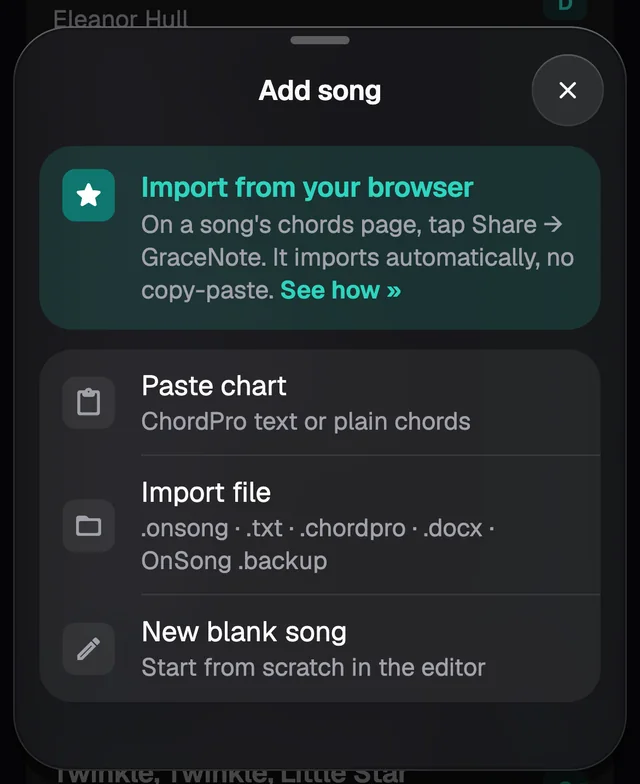
From your browser
This is the fastest way. On the chart's page, in Safari or Chrome, tap Share and choose Add to GraceNote. When you go back to GraceNote, the song is already there with its title, artist, key and chords.
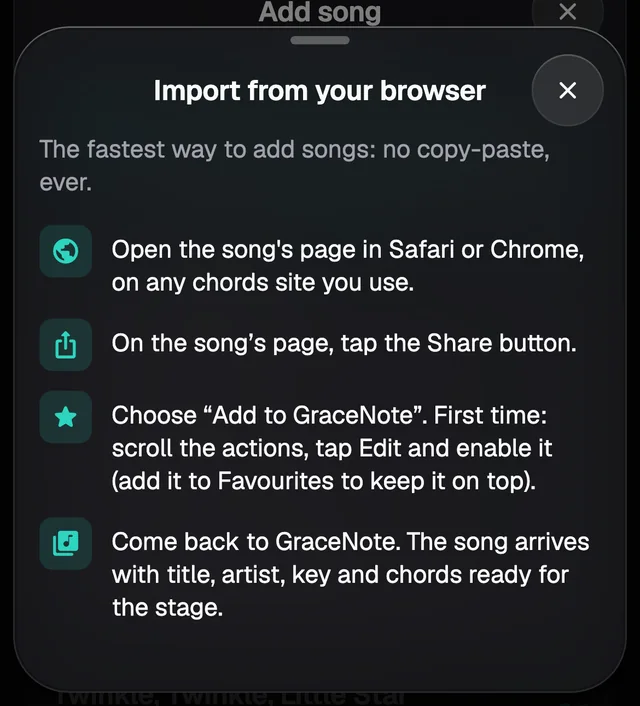
The first time, the action may be hidden. Scroll the list of actions, tap Edit and turn on Add to GraceNote; in Favourites it stays at the top.
Safari hands over the text of the page, so it works on any chord site. Chrome only hands over the address, and GraceNote then fetches the page itself on the sites it knows. The sites we've tested, and what the app reads from each, are on Import from chord sites.
Sharing the same page again updates the song you already have instead of making a new one.
Paste chart
Copy the chart from wherever it is and paste it into Paste chart. The preview shows up straight away: the title, artist and key, how many chords and parts GraceNote found, and the start of the converted chart.
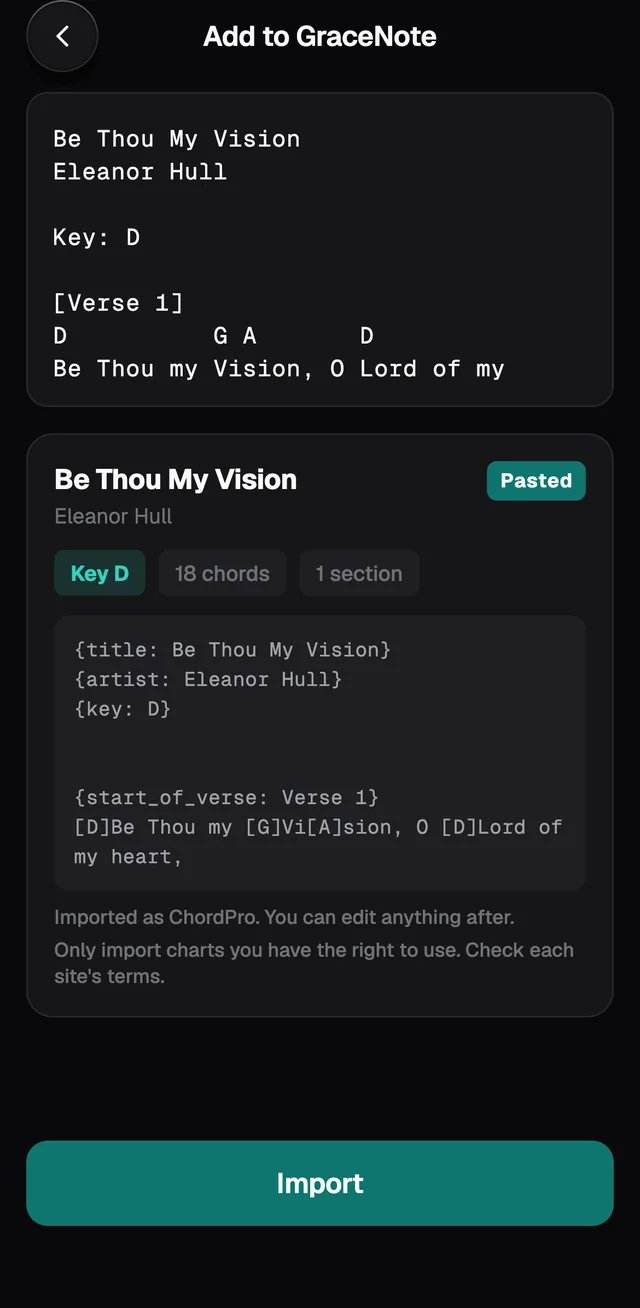
Put the title on the first line and the artist on the second, or use Title: and Artist: lines. GraceNote understands chords over the lyrics, part names such as [Chorus] or Chorus:, (2x), Key: G, Capo: 2 and guitar tab.
If a chord is written in a way GraceNote doesn't know, the preview lists it under Check these chords. It still goes in as a chord, so the line isn't lost.
Tap Import and the song opens on the Stage.
Import file
Pick a file from the Files app: .onsong, .txt, .chordpro, .cho, .rtf or .docx (Word). A Word chart written in a proportional font gets realigned. Old .doc files don't go in: open the file in Word or Pages, save it as .docx and import it again. PDFs and images don't go in either.
OnSong backup
In Import file, pick your OnSong .backup. GraceNote counts the songs and asks before importing them all. The free app holds 50 songs in total; if the backup has more, it shows how many go in now, in alphabetical order, and how many would go in with Pro.
New blank song
Opens an empty Editor. If you save without a title, the song is called Untitled. The Editor is covered in Editing a song.
How many songs fit
The free app keeps up to 50 songs and 1 set, with the full Stage. At the limit nothing is deleted or locked: only adding more asks for Pro. See GraceNote Pro.