
The Library
The Library holds all your songs. Tap a song to open it on the Stage.
Searching
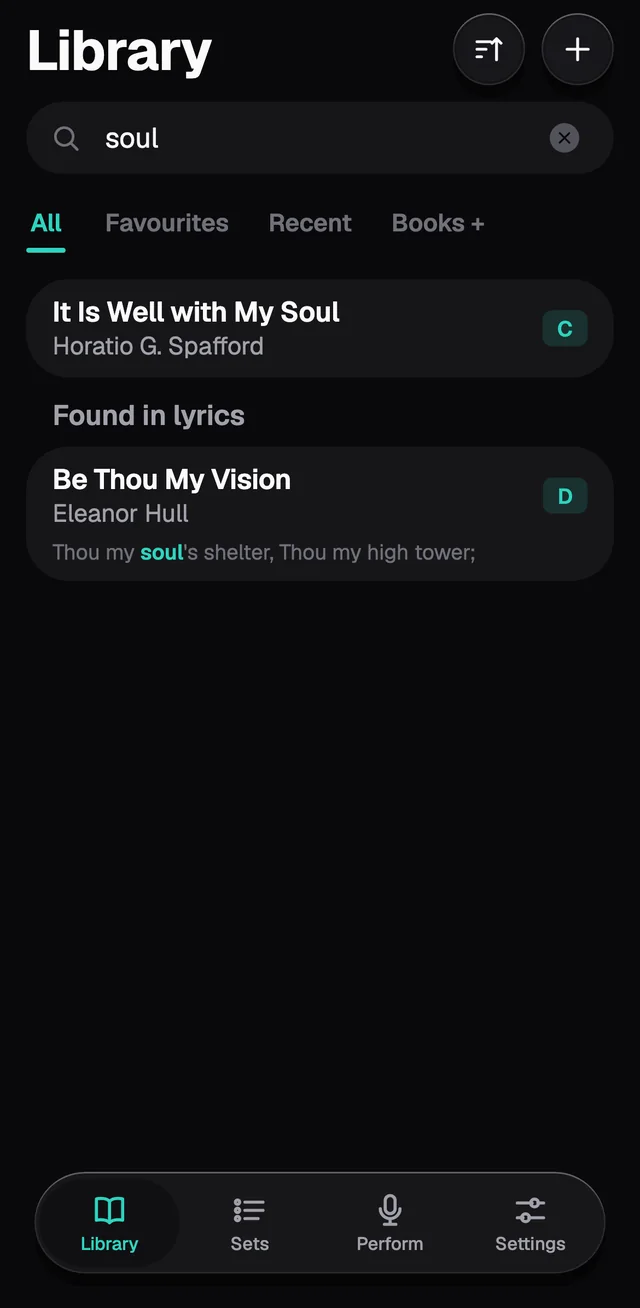
Type in the search field. GraceNote looks in titles and artists first, then in the lyrics. What it finds only in the lyrics shows further down, under Found in lyrics, with the line the word is on. Accents and capitals make no difference: "grace" finds "Grace".
Sorting and filtering
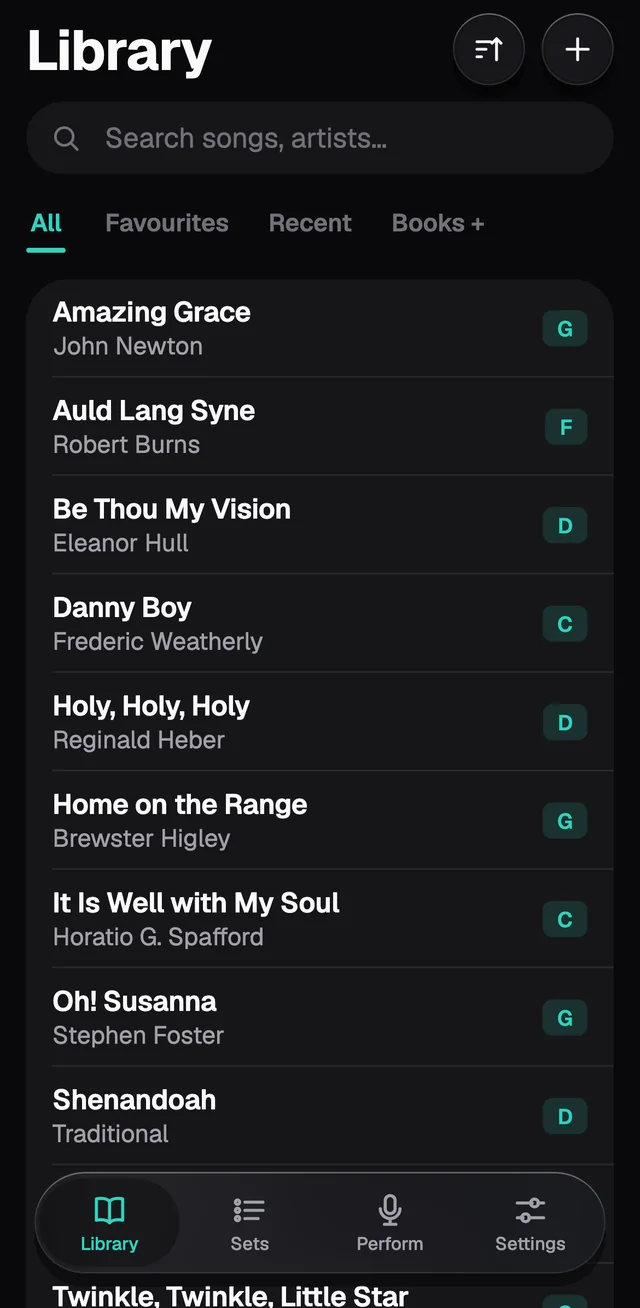
The button next to + changes the order: title, artist, recently added, key or BPM.
The tabs under the search field split All, Favourites, Recent (the songs you last opened on the Stage) and Books.
Under Settings › Library you can turn on Filter chips, a row of keys that shows only the songs in one key, and BPM on song cards.
Each song's menu
Touch and hold a song, or swipe its row to the left and tap More.
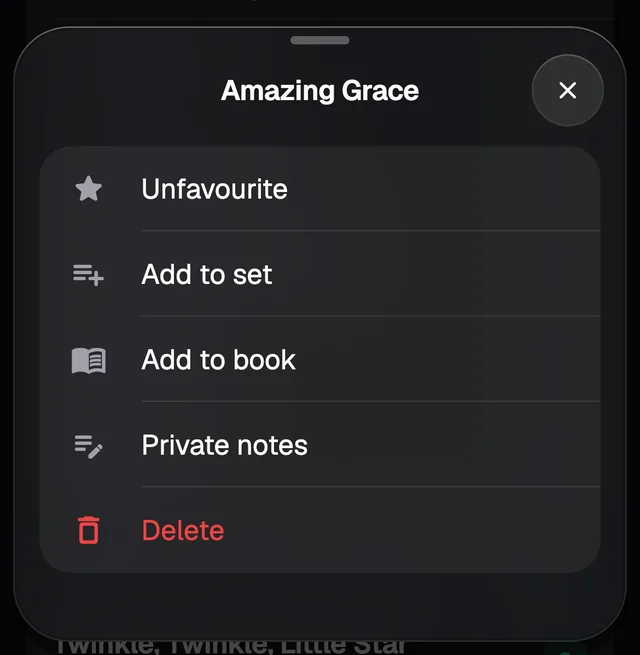
- Favourite adds the star and puts the song on the Favourites tab. Swiping the row to the left shows this button too.
- Add to set and Add to book.
- Private notes: your own notes, which don't show on the chart.
- Delete removes the song. For a few seconds, Undo shows at the bottom of the screen.
Books
A book groups songs by theme: hymns, youth songs, Christmas songs. The same song can be in several books.
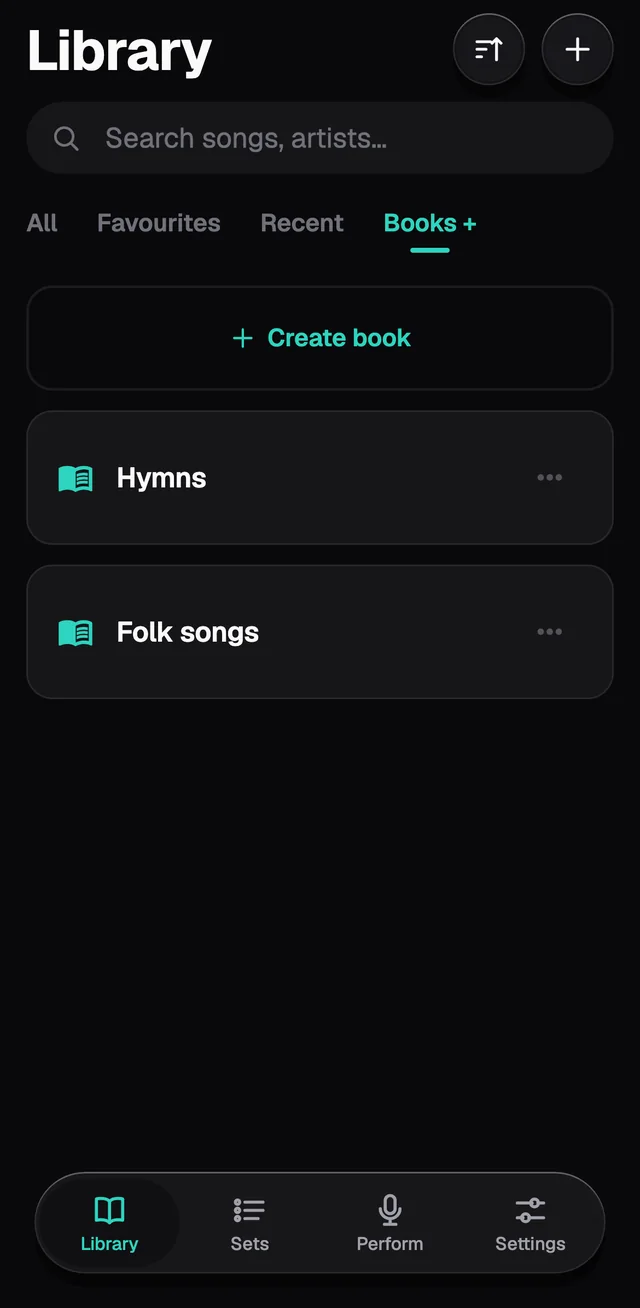
On the Books tab, tap Create book and give it a name. Open the book and tap Add songs to tick the ones that go in. A song opened from inside a book takes the whole book to the Stage, so you can swipe from one song to the next.